Remote Assist Downloads
Remote Assist Downloads
Download de juiste versie voor uw systeem en volg de installatie-instructies hieronder.
Download the right version for your system and follow the installation instructions below.
Windows SmartScreen melding?
Windows SmartScreen warning?
Bij het openen kan Windows SmartScreen een melding tonen. Dit is normaal voor nieuwe software. Klik op "Meer informatie" en vervolgens op "Toch uitvoeren".
When opening, Windows SmartScreen may show a warning. This is normal for new software. Click "More info" and then "Run anyway".
Eenmalige Hulp op Afstand One-Time Remote Assistance
Voor eenmalige ondersteuning zonder doorlopend contract. Perfect voor een snelle reparatie of advies. For one-time support without an ongoing contract. Perfect for a quick fix or consultation.
Windows 64-bit
WorkstationVoor thuiscomputers, laptops en werkstations met Windows 10/11 (64-bit).
For home computers, laptops and workstations running Windows 10/11 (64-bit).
ZIP
wachtwoord: 2026
ZIP
password: 2026
Windows 64-bit
ServerVoor Windows Server 2016, 2019, 2022 en andere server-omgevingen.
For Windows Server 2016, 2019, 2022 and other server environments.
Windows 32-bit
WorkstationVoor oudere 32-bit workstations en laptops.
For older 32-bit workstations and laptops.
Windows 32-bit
ServerVoor 32-bit Windows Server omgevingen.
For 32-bit Windows Server environments.
Linux
Ubuntu / Debian / RHELVoor Linux servers en werkstations (Ubuntu, Debian, CentOS, RHEL, etc.).
For Linux servers and workstations (Ubuntu, Debian, CentOS, RHEL, etc.).
Download .shmacOS
Intel & Apple SiliconVoor Apple computers met macOS Monterey of dieywer.
For Apple computers running macOS Monterey or newer.
Download .pkgLong Term Support (Beheerde Klanten) Long Term Support (Managed Customers)
Voor klanten met een doorlopend onderhoud- of beheercontract. De remote agent blijft permanent actief voor proactieve ondersteuning. For customers with an ongoing maintenance or management contract. The remote agent stays permanently active for proactive support.
Windows 64-bit
WorkstationVoor thuiscomputers, laptops en werkstations met Windows 10/11 (64-bit).
For home computers, laptops and workstations running Windows 10/11 (64-bit).
ZIP
wachtwoord: 2026
ZIP
password: 2026
Windows 64-bit
ServerVoor Windows Server 2016, 2019, 2022 en andere server-omgevingen.
For Windows Server 2016, 2019, 2022 and other server environments.
Windows 32-bit
LegacyVoor oudere 32-bit systemen en compatibiliteit met legacy hardware.
For older 32-bit systems and legacy hardware compatibility.
Linux
Ubuntu / Debian / RHELVoor Linux servers en werkstations (Ubuntu, Debian, CentOS, RHEL, etc.).
For Linux servers and workstations (Ubuntu, Debian, CentOS, RHEL, etc.).
macOS
Intel & Apple SiliconVoor Apple computers met macOS Monterey of nieuwer.
For Apple computers running macOS Monterey or newer.
Installatie Stappen Installation Steps
Installatie Stappen Installation Steps
Download de juiste versie
Download the right version
Kies hierboven de versie die bij uw besturingssysteem past. Voor de meeste gebruikers is Windows 64-bit Workstation de juiste keuze.
Choose the version above that matches your operating system. For most users, Windows 64-bit Workstation is the right choice.
Start de installatie & Beveiliging
Start installation & Security
Open het gedownloade bestand. U krijgt mogelijk dit blauw SmartScreen venster te zien.
Open the downloaded file. You might see this blue SmartScreen popup.
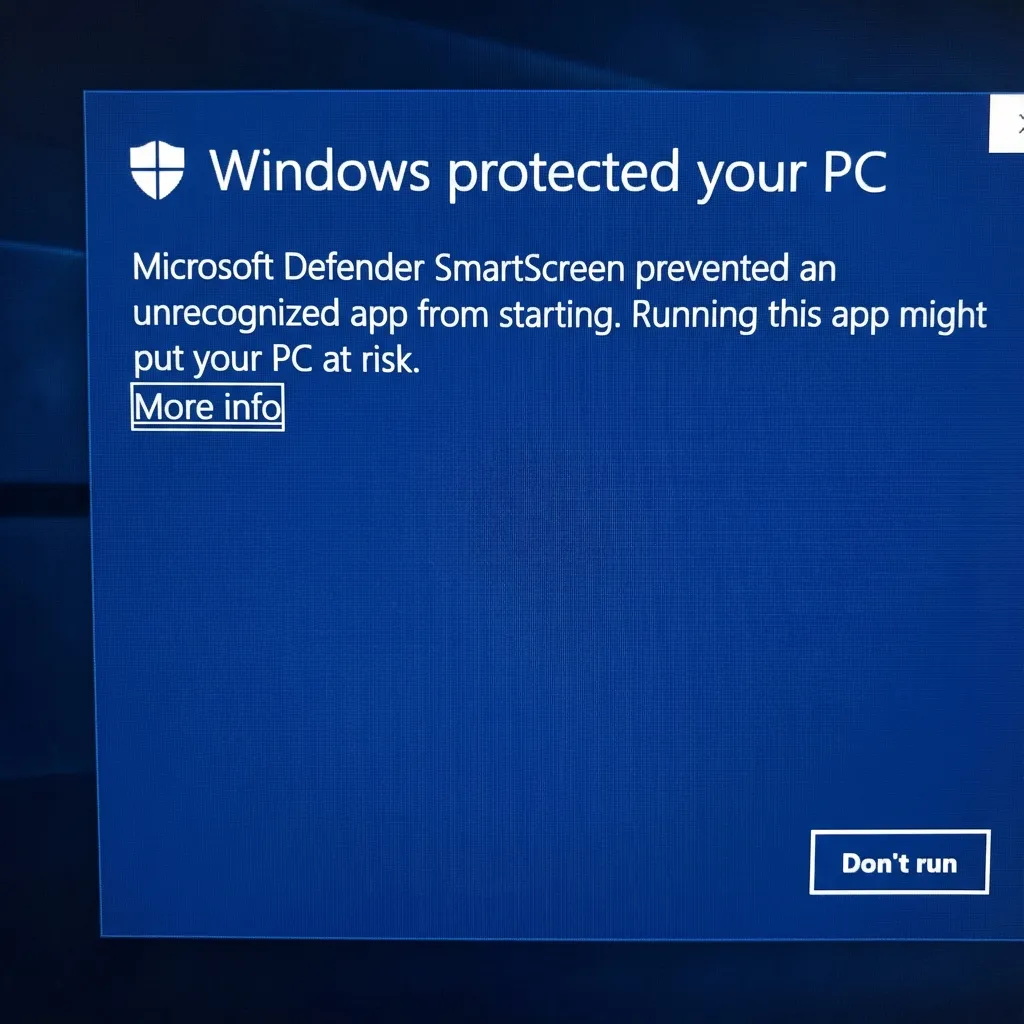
Klik op "Meer informatie".
Click "More info".
Bevestig uitvoering
Confirm execution
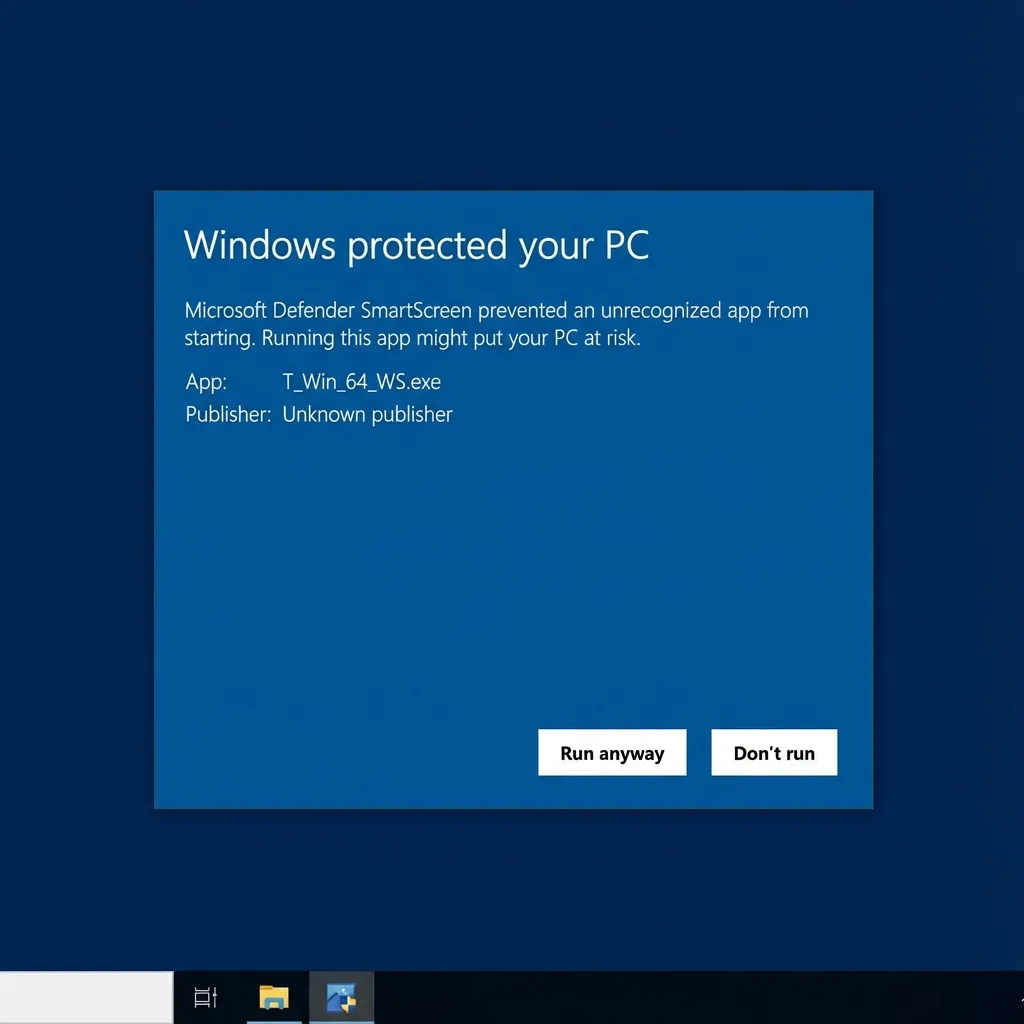
Na het klikken op "Meer informatie" verschijnt de knop "Toch uitvoeren". Klik hierop.
After clicking "More info", the "Run anyway" button appears. Click it.
Installatie & Voltooiing
Installation & Completion
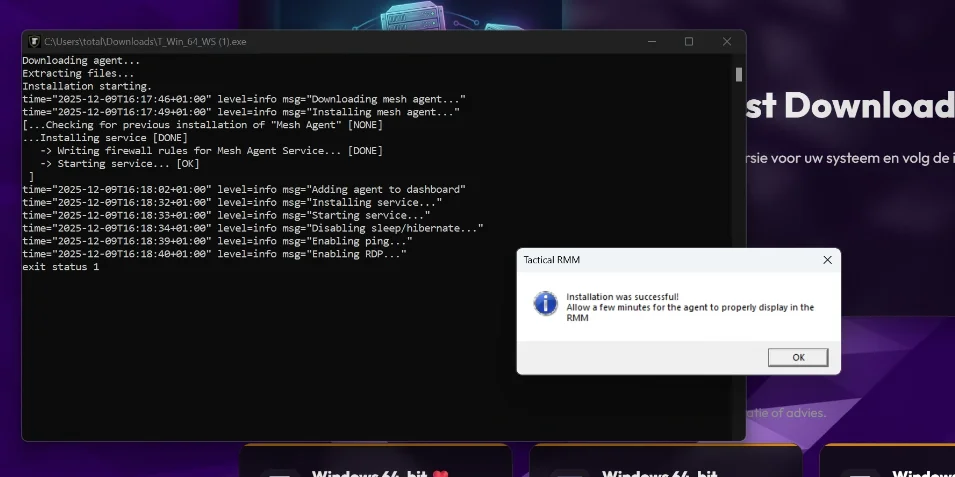
Een zwart scherm toont de voortgang. Dit duurt 1-2 minuten.
A black screen shows the progress. This takes 1-2 minutes.
Wacht tot de melding "Installation was successful!" verschijnt.
Wait until you see the "Installation was successful!" message.